Microsoft 365 and Office 2024 offer two very different ways to use the familiar Office apps, and the best option really depends on your workflow. I’ve used both over the years, starting with one-time Office licenses like Office 2019 and Office 2021, and today I use the Microsoft 365 Family subscription for my personal needs and for managing content for my website. After switching between them, I realized each one genuinely fits a different type of user, from people who want a simple offline setup to those who rely on cloud storage, syncing, and Copilot.
In this guide, I compare Microsoft 365 and Office 2024 in a practical way so you can quickly understand how they differ and which one matches your daily routine.
Microsoft 365 (Subscription-Based)
Microsoft 365 includes Word, Excel, PowerPoint, Outlook, OneNote, Teams, OneDrive cloud storage, and Microsoft Copilot. Apps stay updated throughout the year, and everything syncs across your devices using your Microsoft account. You can install the apps on multiple PCs, Macs, tablets, and phones, and your work follows you wherever you go.
Microsoft 365 also includes Copilot in Windows, in Microsoft Edge, and in the web versions of Word and Excel. Depending on the subscription, you may also get Copilot inside the desktop apps through your monthly AI credits. If you want a deeper breakdown of each Microsoft 365 plan, check out my Microsoft 365 Subscriptions Explained post.
 Office Home 2024 (One-Time Purchase)
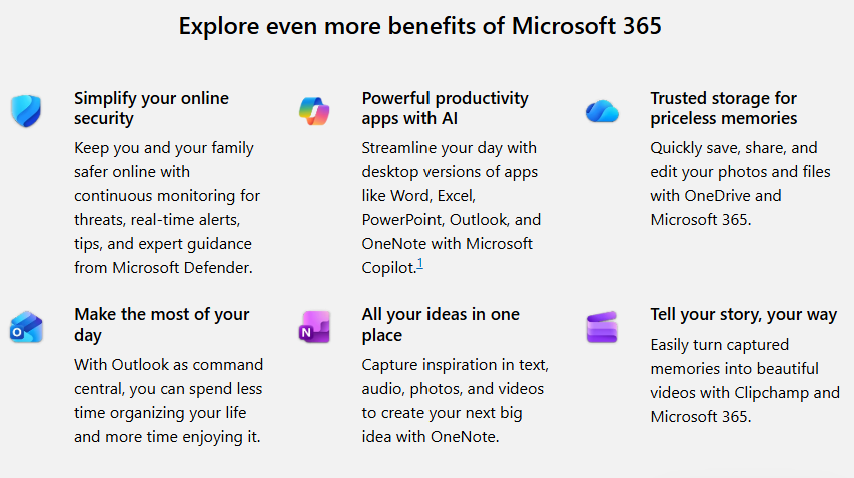
Office Home 2024 is a classic one-time purchase that includes Word, Excel, PowerPoint, and OneNote for a single computer. It works completely offline and stays consistent for years, which is ideal if you want a familiar setup without subscriptions or frequent interface changes.
Office 2024 does not include OneDrive storage or Copilot, but it does work with the free standalone version of Microsoft Teams. You can join meetings and chat, but you won’t have the real-time collaboration features that depend on OneDrive or shared calendars. For example, you can join a family video call through Teams with Office 2024, but you won’t see shared documents update live the way you would with Microsoft 365.
There is also Office Home & Business 2024, which includes everything in the Home version plus Outlook and commercial-use rights. This is a good fit for freelancers or small business owners who prefer a one-time purchase but still want Outlook, and you can find the full details on the official Office 2024 page.
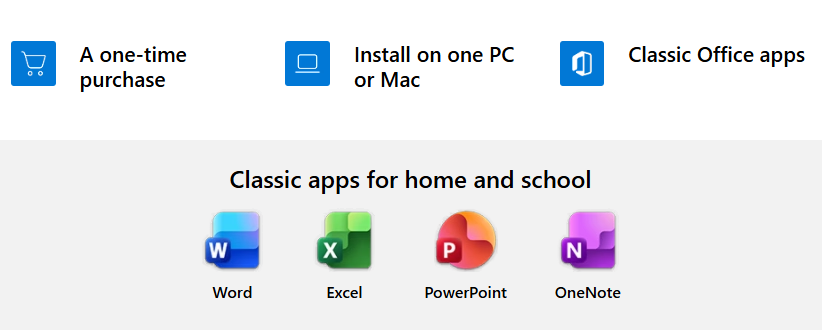
Microsoft 365 vS Office 2024: Quick Comparison Table
For a quick side-by-side comparison, take a look at the table below. It highlights the key features of both Microsoft 365 and Office 2024 at a glance.
| Feature | Microsoft 365 | Office 2024 |
|---|---|---|
| Included Apps | Word, Excel, PowerPoint, Outlook, OneNote, OneDrive, Teams, and more depending on plan. | Word, Excel, PowerPoint, OneNote. Home & Business adds Outlook and commercial-use rights. |
| Installation | Install on multiple PCs, Macs, tablets, and phones. | Licensed for one computer. |
| Updates | Continuous feature updates and improvements. | Security updates only. No new features. |
| Cloud Storage | Includes OneDrive cloud storage for syncing and backup. | Local file storage only unless you manually upload files. |
| Copilot / AI Tools | Copilot in Windows, in Microsoft Edge, and on the web. Desktop Copilot varies by plan and AI credits. | No Copilot or built-in AI tools. |
| Teams Availability | Full Teams experience with collaboration tools and shared files. | Works with free standalone Teams for meetings and chat. No real-time collaboration or OneDrive integration. |
| Work Across Devices | Seamless sync. Recent files appear across devices. | Designed for single-device use. |
| Cost | Subscription (annual or monthly) with cloud storage and updates. | One-time purchase. No renewal fees. |
My Experience Using Both and Which One Makes Sense for You
I’ve used one-time Office versions for most of my school years because they were simple and dependable. Back then, all I needed was Word for essays and PowerPoint for presentations, so a one-time Office license was perfect. Even today, Office 2024 is still a great option for anyone who just needs the classic apps without cloud features, AI tools, or constant updates. It keeps things uncomplicated, and for many people that’s exactly what they want.
As my routine changed and I started working across multiple devices, cloud storage and syncing became much more important. Eventually, I switched to Microsoft 365 Family, and that’s what I use today for personal tasks and for managing my website. OneDrive has saved me countless hours by keeping everything synced automatically. I especially appreciated this when I moved to my Copilot+ PC – all my files, settings, and documents appeared as soon as I signed in, and I was able to start working right away without digging through backups or reinstalling apps.
That smooth transition is actually one of the reasons I was able to start and organize my website so efficiently. If you’re thinking about launching your own site or starting a personal online project, I can honestly recommend Hostinger because it made the process easy and affordable for me. You can check their current plans and offers on their official website.
So Office 2024 or Microsoft 365? If you prefer a familiar, offline setup that stays consistent and doesn’t need cloud features or AI tools, Office 2024 is still an excellent, budget-friendly solution. If you like the idea of having your files available everywhere, automatic syncing, ongoing updates, and helpful tools like Copilot, then Microsoft 365 will feel much more flexible and convenient.